MITRE Framework App for Splunk 3.15.1 — Release Highlights
1. Quick context
MITRE Framework App for Splunk (formerly MITRE ATT&CK App for Splunk) helps security teams map Splunk Enterprise Security correlation rules to adversary frameworks and review coverage through compliance and triage dashboards.
📚 Learn more & download
- Documentation: https://seynur.github.io/mitre-attack-app-for-splunk-docs
- Splunkbase: https://splunkbase.splunk.com/app/4617
- GitHub: https://github.com/seynur/DA-ESS-MitreContent
2. What’s new in 3.15.1
Version 3.15.1 expands the app beyond ATT&CK with MITRE ATLAS support. ATLAS (Adversarial Threat Landscape for Artificial-Intelligence Systems) focuses on threats targeting AI and machine learning systems. With this release, you can map correlation rules to ATLAS techniques and review coverage using the same ES-integrated workflow you already use for ATT&CK.
This release also includes a small ATT&CK Matrix urgency filter fix, plus Splunk Cloud compatibility updates.
2.1 Register ATLAS in Setup
After you install the app, open an ATLAS dashboard (for example ATLAS Matrix). If ATLAS is not set up yet, you’ll see a warning that points you to the Setup page:
ATLAS setup is not complete. Required lookups are missing. Please visit the Setup page to enable ATLAS annotation support.
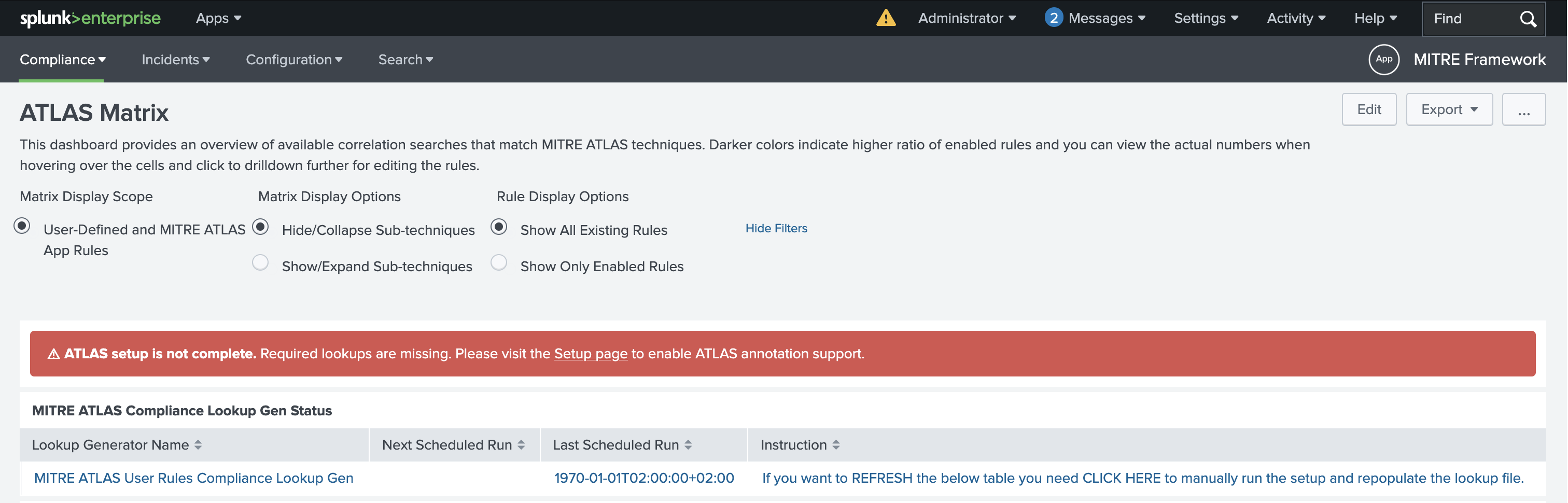
ATLAS Matrix: setup incomplete warning
Go to the Setup page and make sure the following are checked before you click Save:
- MITRE ATLAS All Rules and Techniques Lookup Gen
- MITRE ATLAS User Rules Compliance Lookup Gen
- Add MITRE ATLAS to ES Annotation Framework
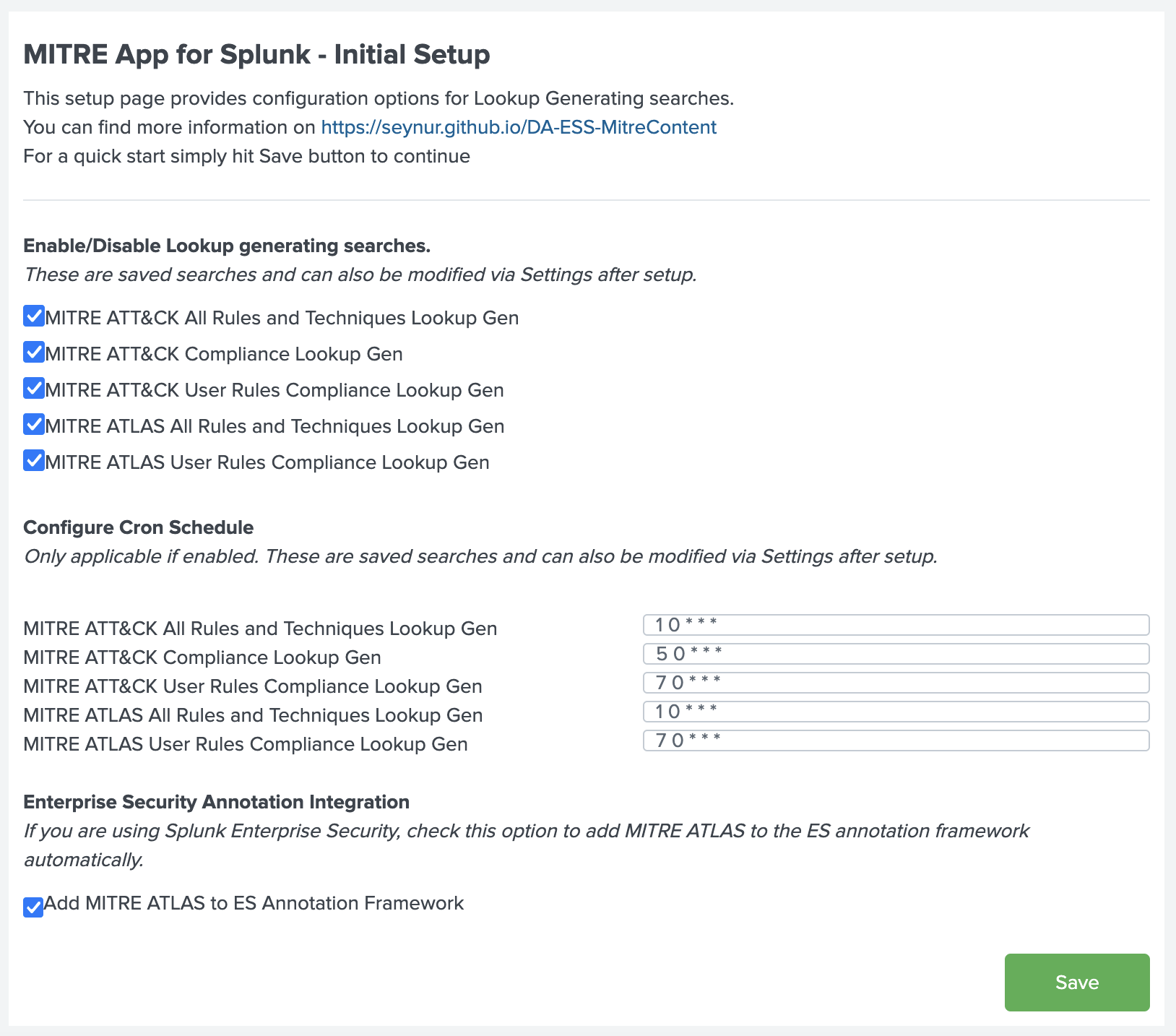
Setup: enable ATLAS lookups and ES annotation
When you save, the app runs a small helper that registers mitre_atlas in Enterprise Security’s security-framework lookup. After that, ATLAS appears as a framework option alongside ATT&CK when you annotate correlation rules and in related ES searches that use that framework list.
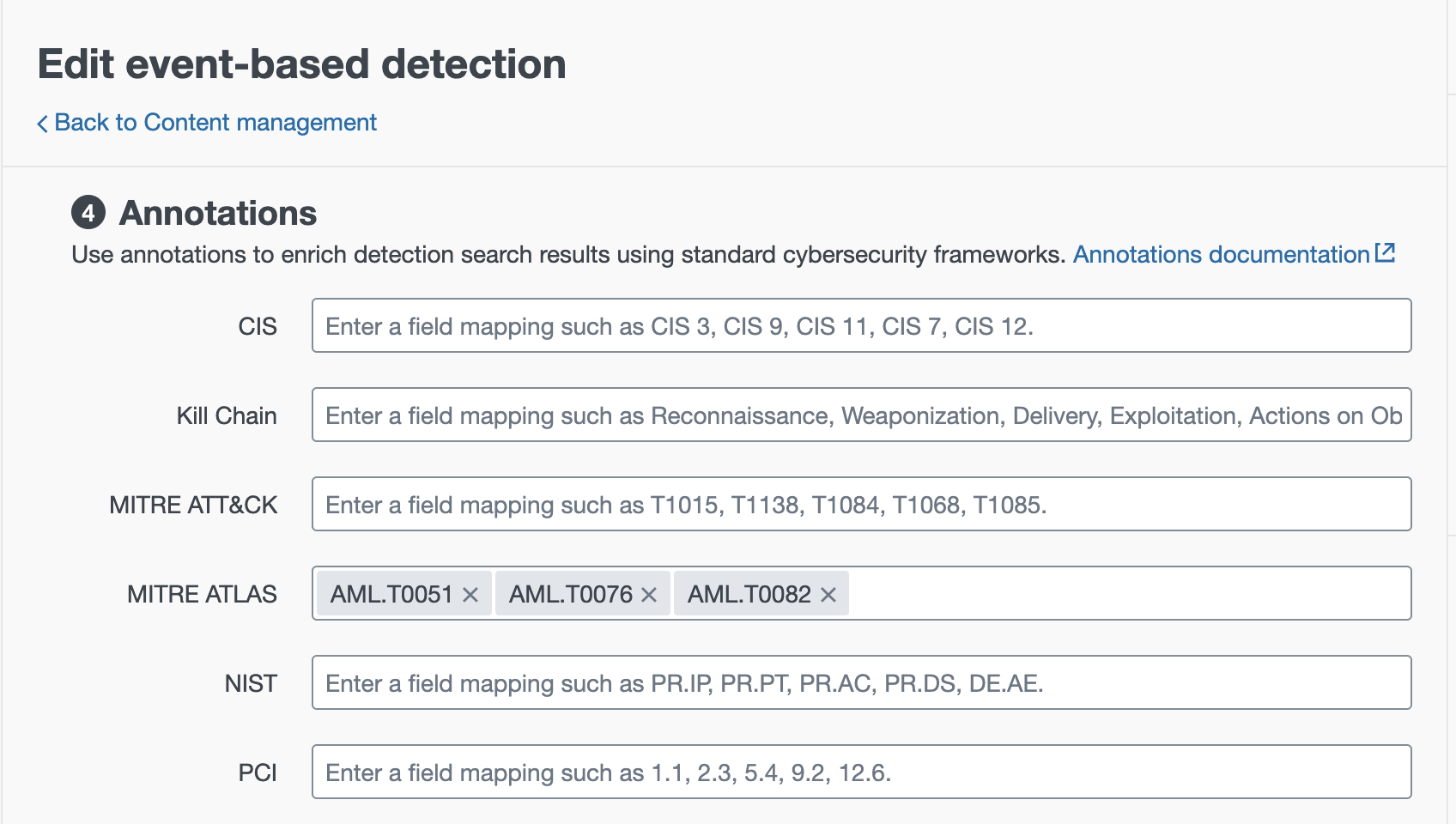
ES Annotations: MITRE ATLAS alongside ATT&CK
Finally, create/refresh the ATLAS lookups (from the Setup guidance or by running the lookup-generating searches) so the ATLAS dashboards can populate.
2.2 What the ATLAS dashboards are for
3.15.1 adds ATLAS views next to the existing ATT&CK dashboards:
- ATLAS Compliance: see which ATLAS techniques you cover with enabled correlation rules
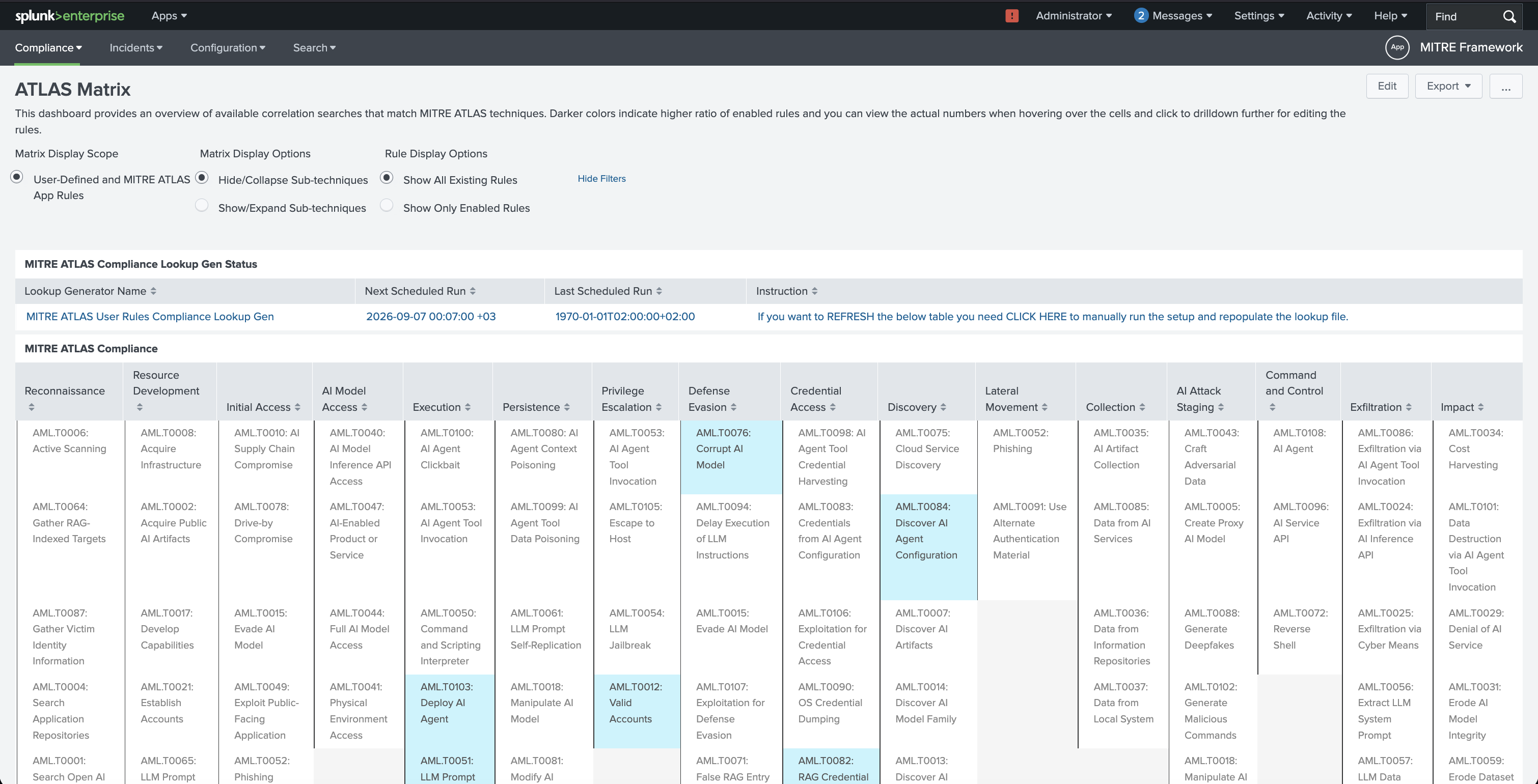
ATLAS Compliance dashboard
- ATLAS Matrix: explore covered and triggered ATLAS techniques in a matrix view
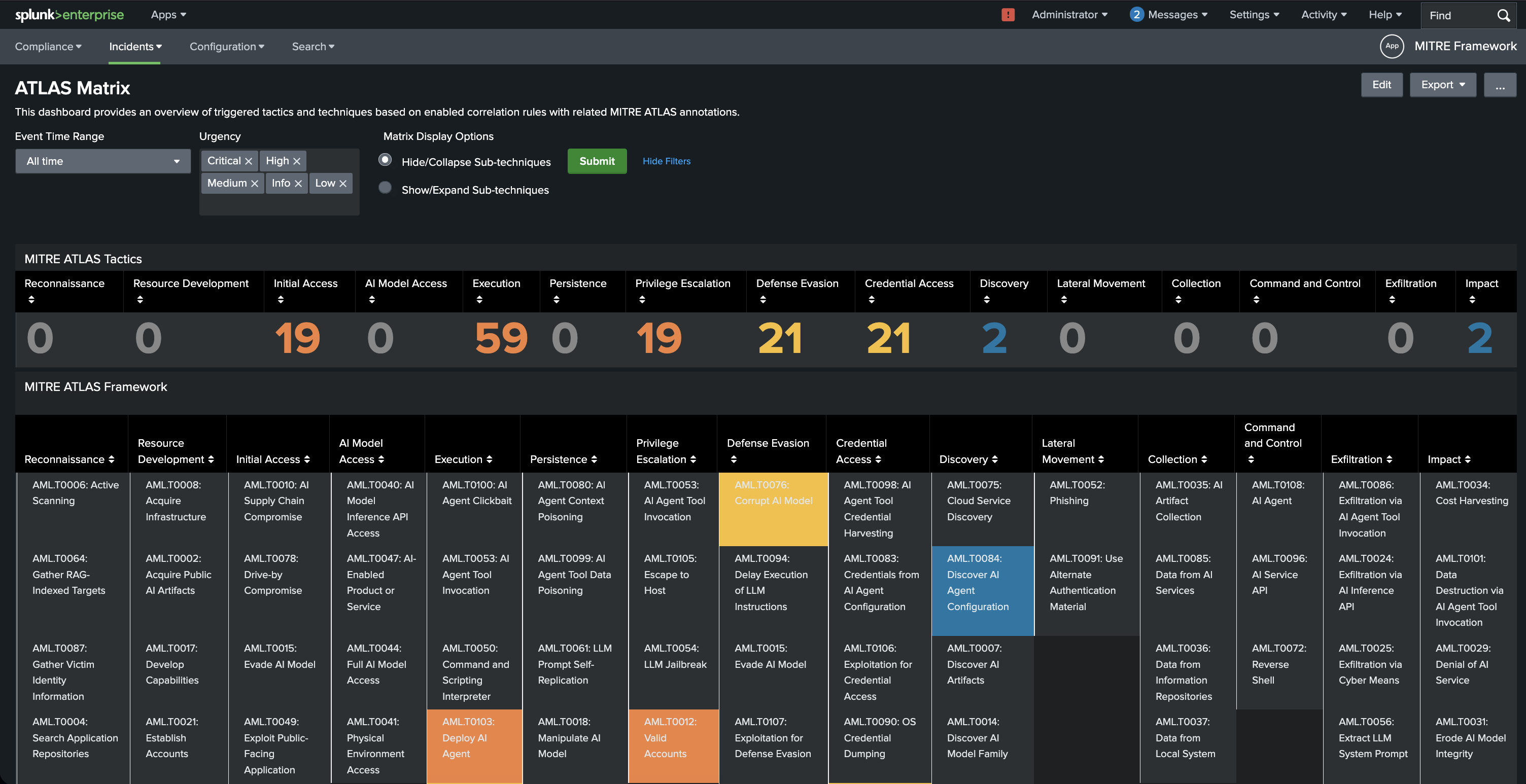
ATLAS Matrix dashboard
- ATLAS Rule Finder: find correlation rules mapped to a specific ATLAS technique
Together, these views help teams bring AI/ML-related threat coverage into the same operational picture they already use for ATT&CK.
📚 References
Originally published at https://blog.seynur.com.