Splunk Frozen Bucket Archiving to Google Cloud Storage — Not Just for S3
Better late than never – I wrote the S3 version long back but somehow never came up with the GCS one.
If you have been following my previous articles in this series — Getting started with LocalStack, Archiving frozen buckets to S3 on LocalStack – then you should be aware about this process. Splunk moves the buckets through the hot → warm → cold → frozen cycle. By default, at the frozen level, Splunk deletes the bucket. But the coldToFrozenScript hook allows you to catch the bucket before it is deleted and move.
👩🏽💻 The Script
The script coldToGCS.py sits in seynur-tools. It archives just the journal.zst file — the compressed logs — and that’s all you need. ✨
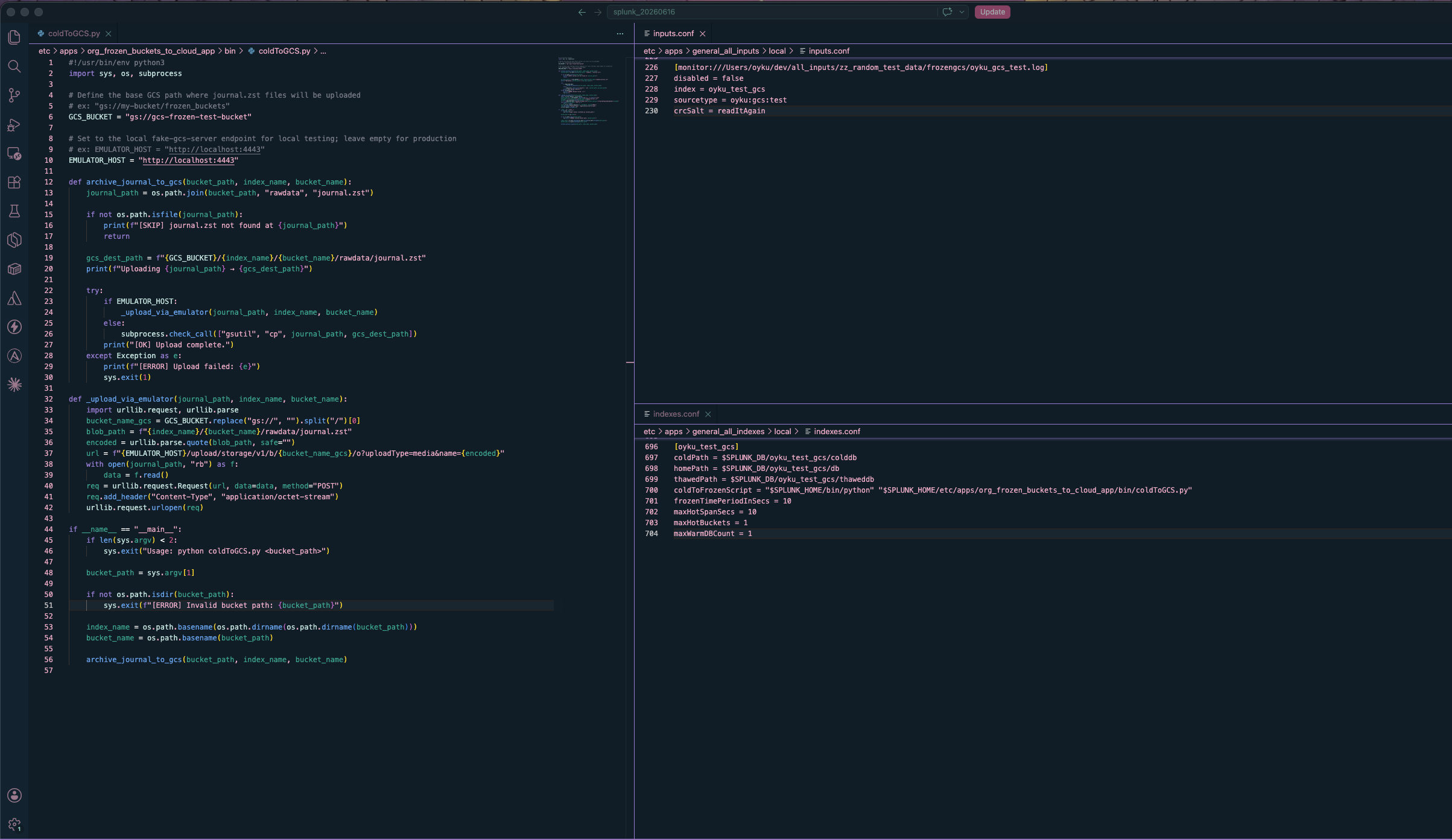
The main feature lies in how it differentiates between local and production modes. If the environment variable EMULATOR_HOST is set, it uses the GCS JSON API to upload straight away, without any Google Cloud Storage SDK dependencies, just stdlib (urllib) — and that’s only when it’s running locally.
```python
#!/usr/bin/env python3
import sys, os, subprocess

# Define the base GCS path where journal.zst files will be uploaded
# ex: "gs://my-bucket/frozen_buckets"
GCS_BUCKET = "gs://gcs-frozen-test-bucket"

# Set to the local fake-gcs-server endpoint for local testing; leave empty for production
# ex: EMULATOR_HOST = "http://localhost:4443"
EMULATOR_HOST = "http://localhost:4443"

...

```
 |
|---|
Figure 1: The three components of the configuration next to each other: coldToGCS.py on the left with the variables of GCS_BUCKET and EMULATOR_HOST set for local testing, inputs.conf on top right specifying the data input for the test index, and indexes.conf on bottom right with the coldToFrozenScript configured. |
Local Testing with fake-gcs-server
I normally write extensive walkthroughs, but this time it’s going to be short, partly because the steps are indeed very straightforward and partly because I’ve already written three posts in this series and my fingers hurt.
fake-gcs-server is the GCS equivalent of LocalStack - an easily runnable Docker container which imitates the GCS API interface in your local environment. Six steps, let’s do it.
- Start the emulator
docker run -d --name fake-gcs-server -p 4443:4443 \ fsouza/fake-gcs-server -scheme http -port 4443 - Create a test bucket
python3 -c " from google.cloud import storage import google.auth.credentials client = storage.Client( project='test-project', credentials=google.auth.credentials.AnonymousCredentials(), client_options={'api_endpoint': 'http://localhost:4443'}, ) client.create_bucket('gcs-frozen-test-bucket') print('Bucket created:', list(client.list_buckets())) " -
Configure
coldToGCS.pyTwo lines. You can do this.
GCS_BUCKET = "gs://gcs-frozen-test-bucket" EMULATOR_HOST = "http://localhost:4443" - Configure
indexes.conf[oyku_test_gcs] coldPath = $SPLUNK_DB/oyku_test_gcs/colddb homePath = $SPLUNK_DB/oyku_test_gcs/db thawedPath = $SPLUNK_DB/oyku_test_gcs/thaweddb coldToFrozenScript = "$SPLUNK_HOME/bin/python" "$SPLUNK_HOME/etc/apps/org_frozen_buckets_to_cloud_app/bin/coldToGCS.py" frozenTimePeriodInSecs = 10 maxHotSpanSecs = 10 maxHotBuckets = 1 maxWarmDBCount = 1When
frozenTimePeriodInSecs = 10then Splunk will not force you to wait but you have to force yourself to start again, so do that. - Trigger a roll
bin/splunk _internal call /data/indexes/oyku_test_gcs/roll-hot-buckets - Verify the upload
 python3 -c "
 from google.cloud import storage
 import google.auth.credentials
 client = storage.Client(
     project='test-project',
     credentials=google.auth.credentials.AnonymousCredentials(),
     client_options={'api_endpoint': 'http://localhost:4443'},
 )
 for blob in client.list_blobs('gcs-frozen-test-bucket'):
     print(blob.name)
 "
When you’ve done all this correctly:
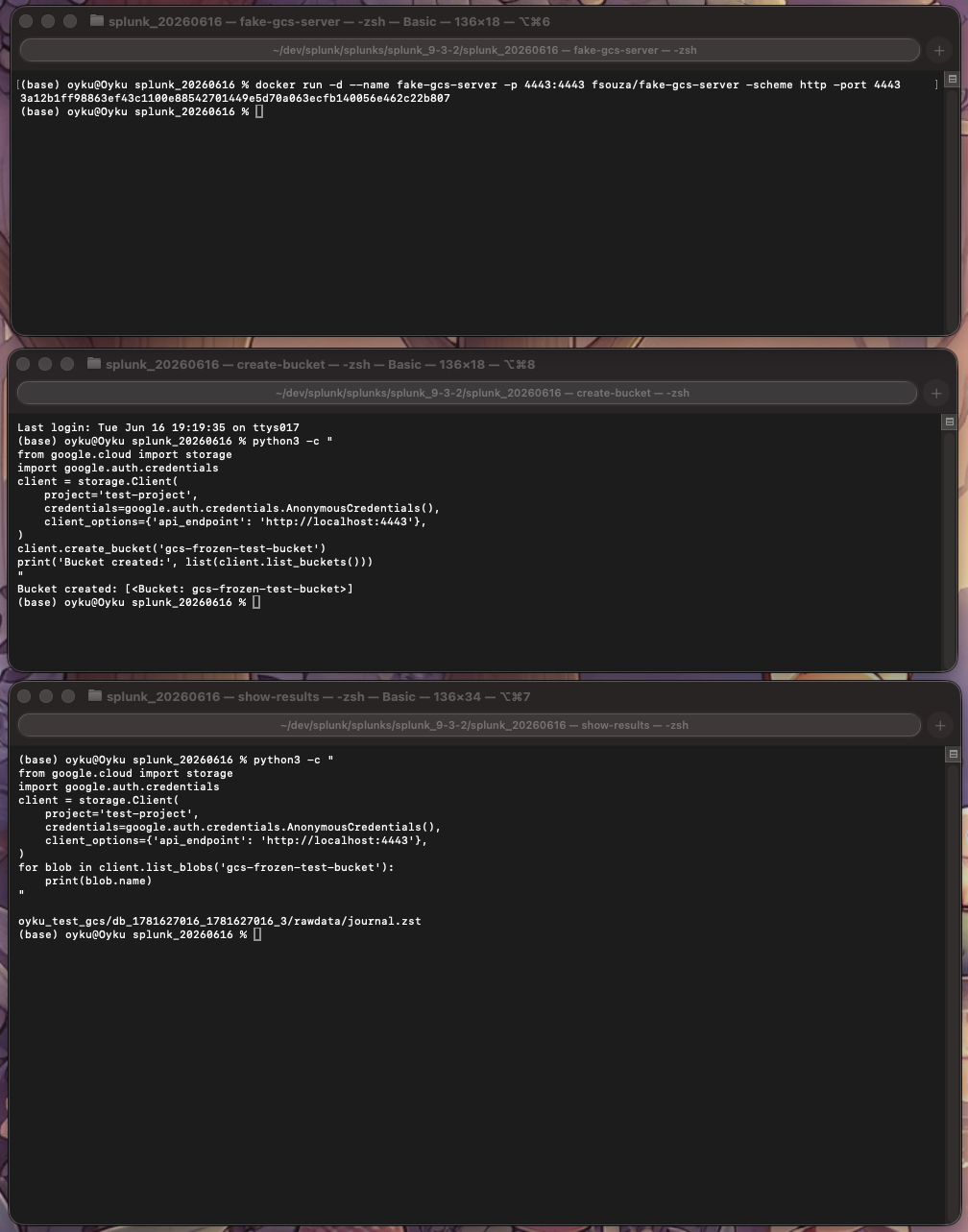
oyku_test_gcs/db_1781627016_1781627016_3/rawdata/journal.zst
There is your frozen bucket, sitting safely in a fake cloud on your computer. Improvement.
 |
|---|
Figure 2: Flow in three endpoints. Upper section: fake-gcs-server is initiated by Docker in port 4443. Middle: The one-liner of Python script generates the test bucket and checks if it exists. Lower section: After the hot bucket rollover by Splunk, the check in GCS emulator returns that the archived file is now under oyku_test_gcs/db_1781627016_1781627016_3/rawdata/journal.zst. |
Next Step: Production Setup With Actual GCS
And that works on your machine? Awesome! Try it now in production. The difference between this and the above section isn’t as big as you think it is.
- Install and authenticate
 brew install google-cloud-sdk   # macOS
 # sudo apt install google-cloud-sdk  # Debian/Ubuntu

 gcloud init
 gcloud auth login
Or use a service account (grownup way):
export GOOGLE_APPLICATION_CREDENTIALS="/path/to/your-service-account.json" -
Create the bucket
gsutil mb gs://your-bucket-name -
Provide Permissions
Minimum permissions required are
Storage Object CreatorandStorage Object Viewer. This step cannot be skipped, as you’ll regret it when you need to do it later. - Modify
coldToGCS.pyGCS_BUCKET = "gs://your-bucket-name" EMULATOR_HOST = "" - Restart Splunk
Do not modify
indexes.conf. Just restart it.
📦 Wrapping Up
That’s All Folks! 🎉
And that’s the GCS flavor — same Splunk hook, same life cycle, and different cloud. Got your infrastructure running on GCP? You have an easy way to run local archives using fake-gcs-server and just setting a single variable in production.
There’s no restore guide for this one (as always with the S3 post if you need any help), but your frozen data will be available when you want it.
Any questions or comments? Contact me on LinkedIn!
Until next time! ☁️
References:
- [1] Seynur. (2025). org_frozen_buckets_to_cloud_app [Computer software]. GitHub. https://github.com/seynur/seynur-tools/tree/main/org_frozen_buckets_to_cloud_app
- [2] Can, Ö. (2025). Getting Started with LocalStack: Local S3 Bucket Creation and File Operations. Seynur. https://blog.seynur.com/localstack/2025/10/24/getting-started-with-localstack-local-s3-bucket-creation-and-file-operations.html)
- [3] Can, Ö. (2025). Archiving Splunk Frozen Buckets to S3 on LocalStack. Seynur. https://blog.seynur.com/localstack/2025/10/28/archiving-splunk-frozen-buckets-to-s3-on-localstack.html
- [4] Can, Ö. (2025). Restore Splunk Frozen Buckets Easily: Local S3 or Custom S3-Compatible Storage. Seynur. https://blog.seynur.com/splunk/2025/11/26/restore-archive-splunk-data-local-s3-or-s3-compitible-custom-endpoints-made-easy.html
- [5] Souza, F. (2025). fake-gcs-server [Computer software]. GitHub. https://github.com/fsouza/fake-gcs-server
- [6] Google LLC. (2025). Google Cloud Storage. https://cloud.google.com/storage
- [7] Google LLC. (2025). Install the Google Cloud CLI. https://cloud.google.com/sdk/docs/install
- [8] Docker Inc. (2025). Docker. https://www.docker.com/